Automation specialist
Workflow automation and optimization that removes the busywork
I map how work actually moves through your business, find where it stalls, and automate the steps that do not need a person. What is left gets documented, so the system keeps running when no one is watching.
What I automate and optimize
Process mapping and bottlenecks
A clear picture of how a request, lead or order moves through your team, and where it waits.
Workflow automation
Zapier, Make, n8n and Google Apps Script flows that move data, send updates and create tasks on their own.
CRM setup and cleanup
GoHighLevel and HubSpot pipelines, segments, follow-up sequences and data hygiene, plus training for the team.
Tool integration and stack cleanup
Fewer subscriptions, tools that talk to each other and one source of truth instead of three spreadsheets.
Reporting that builds itself
Dashboards and scheduled reports fed straight from your tools, so nobody spends Monday copying numbers.
SOPs and handover
Every automation documented: what it does, what triggers it and what to check when something looks off.
Tools I work in
- Zapier
- Make
- n8n
- Google Apps Script
- Google Sheets
- GoHighLevel
- HubSpot
- ClickUp
- Asana
- monday.com
- Notion
- Slack
What does a workflow automation specialist do?
A workflow automation specialist finds the repetitive steps in how a business runs and hands them to software. That might be a form submission that should create a CRM contact, a deal stage that should trigger a follow-up email, or an order that should provision itself. The aim is fewer manual handoffs, fewer mistakes and work that moves without someone pushing it.
Automation only works on a process that makes sense, so optimization comes first. I map the current flow, cut the steps that do not add anything and only then automate what is left. That is how the QA process at Facilitron was rebuilt in two weeks, with CSAT rising from 84 to 94.
How far can automation go?
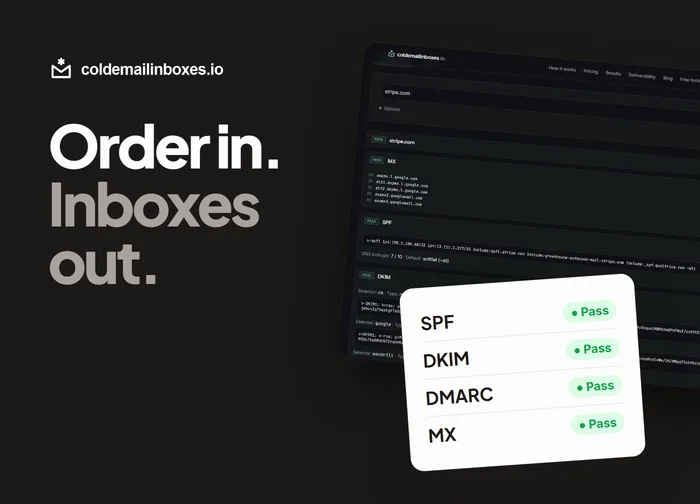
Further than most teams expect. For coldemailinboxes.io I built a pipeline that takes a paid order and turns it into tested, authenticated mailboxes: DNS zones created, Microsoft 365 domains verified, 100 mailboxes set up and a test send checked before handoff, with no one clicking through admin screens. Most businesses need something smaller, but the principle is the same: if a person follows the same steps every time, software can too.
Which tool should I use: Zapier, Make or n8n?
Zapier is the quickest to set up and has the most integrations. Make handles branching, multi-step scenarios at a lower cost per run. n8n can be self-hosted and suits teams that want full control or high volumes. I pick based on your volume, budget and who will maintain it after I hand it over, and I document it either way.
"Carl rebuilt our QA process in two weeks, and our CSAT jumped from 84 to 94. His ability to turn chaos into structured workflows is unmatched."
Kayt | CSM
Facilitron
Proof
Case studies
Further reading
- How to Set Up Microsoft 365 Inboxes for Cold Email: SPF, DKIM, DMARC and a Test SendThe setup steps for cold email inboxes on Microsoft 365: domains, MX, SPF, DKIM, DMARC, SMTP AUTH and the test send that catches problems before your sequencer does.
- Always On Tradie: Social Media Posts and Email Replies for Trades Businesses That Run While You WorkWhy trades businesses lose leads to slow replies and quiet social pages, and how Always On Tradie posts every weekday and answers enquiries while you are on the job.
Let's give your week back
Tell me what is slowing you down. We will map it out on a call. Remote, working US Eastern hours.